ERP eCommerce Integration for B2B Distributors: What Data Syncs and How
 By Sandeep Singh, Co-Founder · · 11 min read
The short answer
ERP eCommerce integration connects a distributor's ERP, the system of record, to its B2B website. Inventory by warehouse, contract pricing and credit status flow from the ERP to the website in real time. Orders flow back immediately. Order status, invoices and product data can sync hourly or daily. If any of these lag, the website shows buyers wrong information.
Key takeaways
- The ERP owns customers, prices, stock and invoices. The website displays them and never becomes a second source of truth.
- Eight kinds of data have to sync. Three of them (orders, customer accounts, and invoices with payments) need to move in both directions.
- Credit status and contract pricing should be checked live at checkout, not only at login.
- Decide which system creates new customers and ship-to addresses before any code is written.
- Plan how you'll spot drift between the two systems. Sync failures rarely show up as errors.
If you run a distribution business, the truth lives in your ERP. Prophet 21, Acumatica, Infor SX.e, NetSuite, DDI, Sage, QuickBooks Enterprise, whichever one you've got, it has your stock, your contract prices, open orders, invoices, credit holds, and how every customer account is set up. ERP eCommerce integration is the plumbing that lets your B2B eCommerce website read all of that and send orders back.
And for a distributor, the plumbing ends up being most of the project. In our overview of the seven B2B eCommerce challenges US distributors face I called a website without it "a brochure with a shopping cart bolted on", and I still think that's fair. This is the longer version. What has to move, which way, and how out of date each piece is allowed to get. Plus the parts that tend to break.
What does an ERP eCommerce Integration do?
Two jobs, really. Keep the ERP and the website agreeing with each other, and make sure that for any piece of data, only one of them gets to change it. Project plans love the first job. The second usually gets a line item, if that.
Your ERP is the system of record. If the two systems disagree about a price or a stock count, the ERP is right and the website is wrong. The integration's work is keeping those disagreements rare and short.
So before anyone writes code, agree which system creates what:
- Customers, ship-to addresses and credit terms are created in the ERP. The website can collect a new-account request, and someone approves it in the ERP.
- Prices are set in the ERP. The website displays them and never calculates its own.
- Products start in the ERP, often with descriptions and images added in a PIM.
- Orders are created on the website and become ERP records the moment they post.
- Invoices and open balances belong to the ERP.
Write this down and get your operations lead to sign it. Skip that step and by month two you'll have both systems editing the same customer record, with nobody sure which copy is right.
Which ERP data has to sync, and in which direction?
Eight kinds of data move between the ERP and the website. Most of it flows out of the ERP. Orders, customer requests and payments flow back in.
| Data | Created in | Direction | How fresh | What goes wrong when it lags |
|---|---|---|---|---|
| Customer accounts, hierarchy, ship-tos | ERP | ERP → website, new-address requests back | Real time | Buyer sees the wrong account or addresses |
| Credit status and holds | ERP | ERP → website | Real time, checked at checkout | Orders accepted that AR has to cancel |
| Contract pricing | ERP | ERP → website | Live at login and cart | Website price differs from the invoice |
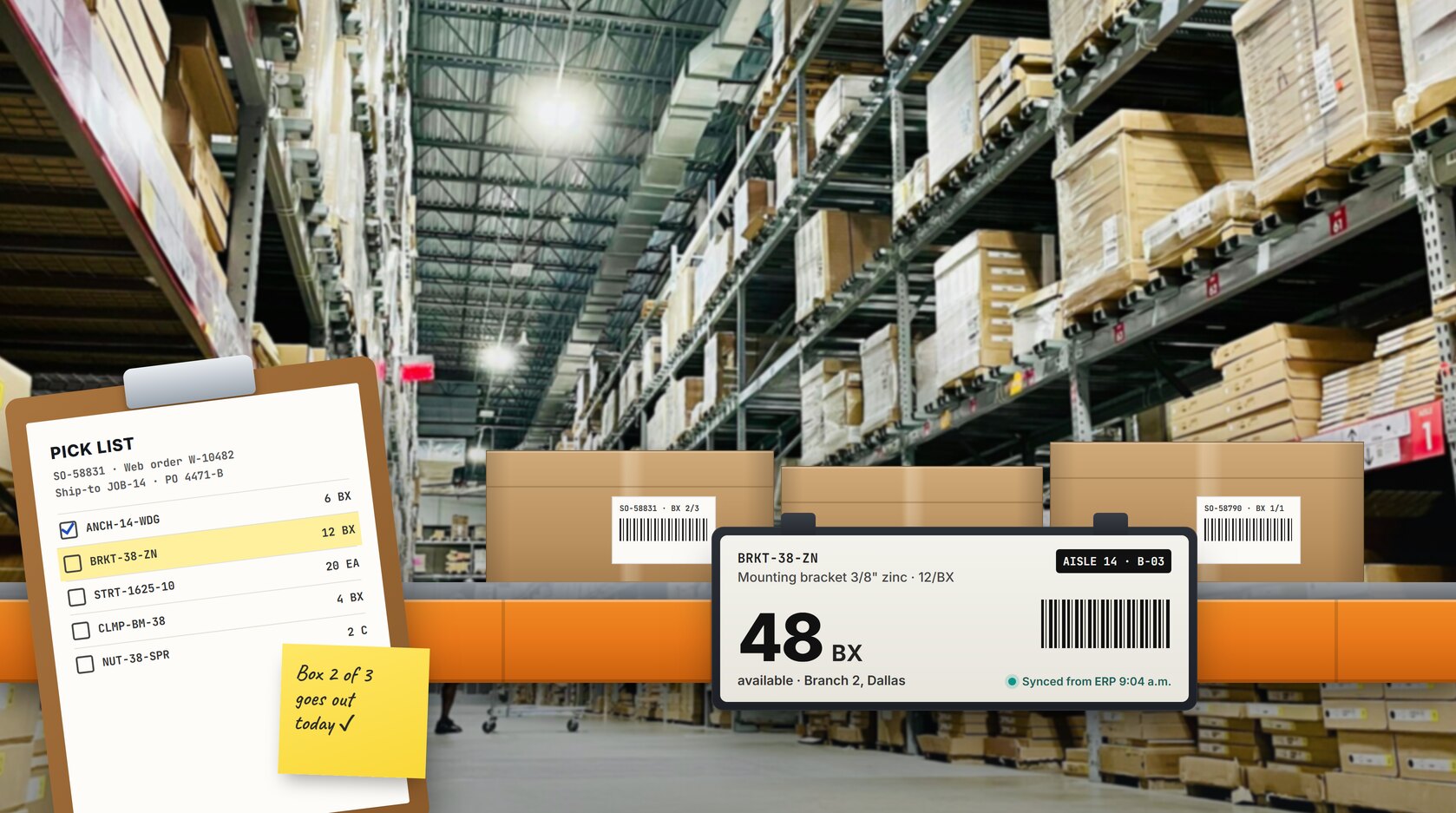
| Inventory by warehouse | ERP | ERP → website | Real time or every few minutes | Orders for stock that's already gone |
| Product master and units of measure | ERP or PIM | ERP/PIM → website | Daily | Wrong quantities ordered and shipped |
| Orders | Website | Website → ERP, status back | Immediately | Warehouse can't pick, reps can't see them |
| Order status, tracking, ship confirmation | ERP | ERP → website | Hourly or better | Buyers call to ask where their order is |
| Invoices, open AR, payments | ERP (payments made on the website) | ERP → website, payments back | Daily for invoices, immediate for payments | AR chases invoices that are already paid |
Customer accounts, hierarchy and ship-to addresses
Start with a small one. A contractor's buyer is at checkout and types in a new jobsite address. Trouble is, the ERP doesn't know that address exists. So the order shows up with a ship-to code nobody recognizes, and someone in customer service has to sort it out, which usually means calling the buyer back.
And that's just one address. Underneath, a distributor's customer is usually a company with branches, several buyers and a long list of delivery addresses, all held in the ERP as parent and child accounts, ship-to codes and terms. If the website's copy of that is off, buyers log in and see the wrong branch's addresses.
New addresses? Two workable options. Push them to the ERP for someone to approve, or let the order carry a one-off address and have the ERP turn it into a record later. Either is fine by me. Decide which before launch.
Credit status and holds
Credit status has to be live, and it has to be checked at checkout, not only at login. Picture the timing. Buyer logs in at 8. AR puts the account on hold at 10. At 2, still logged in, the buyer hits "place order". If the website only checked credit at login, that order sails through and AR gets to cancel it, along with an awkward phone call. Block it at checkout, or send it to someone for review. Your call.
Contract pricing
Whatever the ERP would charge this customer is what the website shows. Contract price, price class, matrix, quantity break: it doesn't matter which rule wins inside the ERP, because the website only displays the result. Usually that means a live price call when the buyer logs in or adds something to the cart, and the answer gets held for the rest of their session.
Speed matters here. Much over 300 milliseconds per lookup and buyers start to notice the page hanging. The other route is copying a full price book onto the website. With a large catalog and a few hundred accounts, that table gets enormous, and every contract change has to be copied across again.
Inventory by warehouse
Buyers rarely ask "do you have it?" They ask whether it's at their branch, or at the warehouse that ships to them. That means stock per warehouse on the website, not one big company total.
Phone orders, counter sales, a truck being received: stock changes all through the day. Live numbers are best, and a refresh every few minutes is the slowest I'd accept. One more thing, if your ERP calculates available-to-promise. Show that, not on-hand. On-hand still counts stock that's already promised to someone else's order.
Product master and units of measure
This is the one flow where a daily sync is genuinely fine. Part numbers, descriptions, weights and units of measure come from the ERP (richer content often comes from a PIM), and they don't change hour to hour. The field to get exactly right is unit of measure. If the website sells by the box and the ERP stocks single pieces, a missing conversion factor means a quantity of 12 posts as twelve pieces instead of twelve boxes.
Orders
Orders are the big flow going the other way. When someone clicks "place order", it should land in the ERP right away, with everything the ERP needs to accept it: customer number, ship-to code, PO number, prices, units. Once the ERP accepts it, it hands back its own order number. From then on that's the number your team quotes, the buyer quotes, everyone quotes. And no nightly order uploads, please. An order sitting on the website until 2 a.m. is an order the warehouse can't pick and the rep can't see.
Shipping status and tracking
Partial shipments are what break status updates. Picture one order shipping from two warehouses, in three boxes, on two different days. The buyer wants three tracking numbers on the website, not a single "shipped" status while two of the boxes are still on a shelf.
Everything else here (picked, shipped, backordered, delivered) is fairly routine, and hourly updates cover most distributors.
Invoices, open AR and payments
Buyers look up invoices more often than most distributors expect, usually because their AP team asked for a copy. Sync invoices and open balances from the ERP at least daily, with PDFs the buyer can download.
Payments are the exception to the daily rhythm. If buyers can pay an invoice on the website, that payment should post to the ERP straight away, or AR will keep chasing an invoice that's already been paid.
How one order moves between the website and the ERP
Follow one order through and you can see where each of those eight flows comes in.
- Buyer logs in. Behind the scenes, the website pulls their account, ship-to addresses and credit status from the ERP.
- They search and browse. Prices come from a live ERP price call (cached for the session), and stock shows per warehouse.
- Items go in the cart, with units of measure converted using the mapped factors.
- Checkout. Credit status gets checked again, and the PO number is validated against that account's rules.
- Order posts to the ERP. ERP sends back its order number.
- Warehouse ships it. Within the hour, status and tracking show up on the website.
- ERP raises the invoice, and it appears in the buyer's account. Paid online? That payment goes straight back to the ERP.
Steps 2 and 4 are where I'd spend the testing budget. A slow price or a wrong credit check at either one, and the buyer reaches for the phone.
One-way vs two-way sync
Most data only needs to go one way, from the ERP to the website. Three flows need both directions:
- Orders, obviously. They go to the ERP and their status comes back.
- Customer accounts come from the ERP, but new-account and new-address requests travel the other way.
- Invoices go out to the website; payments made online come back in.
With a one-way integration (products and stock out to the website, nothing coming back), someone on your team retypes every web order into the ERP. In my experience, that's the gap most often hidden inside a low-cost quote.
How far can two-way go? Pretty far. We work on an Acumatica build where customers, sales orders, invoices, payments, shipments and even projects all stay in step between the two, and that one codebase runs several B2B websites.
Picking between real-time, cached and batch sync
No single answer here. It depends on the data, and two questions decide it for me: how quickly does this thing change, and what does it cost us if the website shows yesterday's version?
With real-time, the website goes and asks the ERP while the buyer waits for the page. It's right for contract pricing, credit status and order submission. It also puts the most load on the ERP, so keep these calls to login, cart and checkout.
Then there's caching with a time limit, which is where I'd put inventory and order status. The website holds a copy and refreshes it once it's more than, say, five minutes old (developers call that limit a TTL, short for time to live).
A nightly batch is an overnight file export and import. It works for product descriptions and images and falls short for inventory, which changes all day.
| Method | How current | Load on the ERP | Build effort | Best for |
|---|---|---|---|---|
| Real-time API call | Live | Highest per call | Highest | Pricing, credit status, orders |
| Cached with a time limit | Minutes old | Moderate | Medium | Inventory, order status |
| Nightly batch | Up to 24 hours old | Low | Lowest | Product content, invoice history |
How do you know the website and ERP are out of sync?
You need checks that look for drift on purpose. A failed sync often throws no visible error. The website carries on with old data until a buyer complains.
What I'd put in place from day one:
- A sync error log with automatic retries, flagging anything that still fails to a person
- A daily order reconciliation comparing the count and value of website orders with what the ERP received
- A weekly price check for a few sample accounts, including at least one on contract pricing
- A weekly stock check on a handful of fast-moving SKUs, per warehouse
- One named owner who reads the alerts and the reports every day
That last item is the one that slips. Shared ownership of alerts tends to mean no ownership.
What happens when the ERP is offline?
The order should still go through on the website. It sits in a queue until the connection is back, then posts on its own. The buyer gets their confirmation regardless; they don't need to know the ERP was down.
And ERPs do go down, for planned maintenance if nothing else. A few things to decide before launch rather than during the first outage:
- Does checkout stay open while the ERP is down, or close with a message?
- How long can a queued order wait before someone steps in?
- If a live price or credit check can't complete, what does the buyer see?
- Who gets alerted, and during which hours?
The P21-connected website we built for a US MRO distributor has a documented disaster recovery plan covering four failure scenarios, with tested procedures, because that distributor's customers rely on the website to keep their facilities stocked. Smaller operation? Then a page or so is enough. Just have it written down before you go live, not after the first outage.
Middleware for distributors: connector, iPaaS or custom
People say "middleware" and mean different things. I use it for whatever sits between the ERP and the website and moves data back and forth. Which kind you need comes down mostly to your pricing and account rules, and how tangled they are.
- Prebuilt connector. An app or plugin made for one ERP and one eCommerce platform. Products, inventory and orders are usually covered. Ask about contract pricing, ship-to codes and credit holds, though, because that's usually where the gaps show up.
- iPaaS. Think Celigo, Boomi or Jitterbit. Instead of writing code, you map fields across in a visual tool. If your ERP has a clean API and your pricing isn't complicated, that can be all you need. Matrix pricing in Acumatica, P21 or SX.e is where it starts to struggle, and before long somebody's writing custom scripts inside the tool anyway.
- Custom integration layer. Purpose-built code that holds your business rules in one place you control. It costs the most upfront and handles complex pricing and credit logic best. This is the approach most B2B eCommerce builds for distributors end up needing once contract pricing and credit holds are in scope.
ERP-by-ERP notes for distributors
| ERP | API maturity | Typical approach | Watch out for |
|---|---|---|---|
| Epicor P21 | Established integration patterns, REST API | Specialist partner or custom layer | Matrix pricing |
| Acumatica | Mature, modern API | Connector, iPaaS or custom layer | Matrix pricing |
| Infor SX.e | Established integration patterns | Specialist partner | Matrix pricing |
| NetSuite | Mature | Connector or iPaaS | Confirm your pricing rules map cleanly |
| DDI | Older installs need custom work | Custom integration | The most custom work |
| Sage 100 / X3 | Depends on the install | Custom integration | On-premise setups |
| QuickBooks Enterprise | Depends on setup | Connector or custom | Pricing kept outside QuickBooks |
Epicor Prophet 21 (P21)
The P21 integration we built for a US MRO distributor runs over P21's REST API, with P21 as the system of record for products, pricing, inventory and orders (case study). P21 has established integration patterns, but expect to need a partner who has connected it before.
Acumatica
Acumatica's API is one of the most mature among distribution ERPs. It's well suited to two-way sync beyond orders, so buyers can check invoices and shipments without calling AR. Matrix pricing (customer class crossed with product group) should be resolved through the ERP rather than copied onto the website.
Sage 100 and Sage X3
Sage takes more custom work when it's installed on-premise, but two-way sync is very doable. In a long-running Sage integration we maintain, inventory syncs both ways, customers created in Sage appear on the website, and web orders post back into Sage without anyone rekeying them.
QuickBooks Enterprise
Plenty of smaller distributors run QuickBooks Enterprise. Before anyone talks about real-time sync, check where your contract prices and per-warehouse stock actually live. In QuickBooks? Or in a spreadsheet someone in sales keeps up to date? If it's the spreadsheet, fix that first.
What does ERP eCommerce integration cost?
Integration is usually the largest part of a distributor's B2B eCommerce build. Research from the Shopware partner ecosystem puts it at 52% of total project effort. The full build ranges, from implementation to monthly running costs, are in the FAQ of our B2B eCommerce challenges overview.
What moves the integration cost:
- How many of the eight data types sync, and how many need both directions
- How many calls are live instead of cached or batched
- How complex your pricing rules are
- How modern your ERP's API is
- How much error handling and reconciliation you build in
- Monthly upkeep, including iPaaS fees, monitoring and changes after ERP upgrades
Questions to ask before you sign
These cover the integration itself. Pair them with the platform checklist in what to check before choosing a B2B eCommerce platform, which covers pricing, accounts, quotes, freight and tax.
- In your design, which system creates customers and ship-to addresses?
- For each of the eight data types, is the sync real time, cached or batch, and what's the refresh time?
- How does the website get a contract price, and how long does the lookup take?
- Is credit status checked at login, at checkout, or both?
- How are units of measure mapped, and who maintains the conversion table?
- What happens to an order if the ERP is offline at checkout?
- Which reconciliation reports come with the integration?
- Have you integrated this exact ERP and version before? Can we speak to that client?
Frequently asked questions
What is two-way ERP sync?
Two-way ERP sync means data moves from the ERP to the website and back again. For a distributor, orders, customer accounts and invoices with payments need both directions. Inventory, pricing and product data usually only flow from the ERP to the website.
Which data should sync in real time?
Contract pricing, credit status and order submission should be live. Inventory should be live or refreshed every few minutes. Order status can update hourly, and product content and invoices can sync daily.
Should new customers be created on the website or in the ERP?
In the ERP. The website can collect a new-account request or a new ship-to address, but the record should be approved and created in the ERP so credit terms and account structure stay in one place.
What's the difference between a connector and a custom integration layer?
A connector is a prebuilt app for a specific ERP and eCommerce platform, and it usually covers products, inventory and orders. A custom integration layer is code built around your own rules, including contract or matrix pricing, credit holds and multi-warehouse stock. Connectors cost less upfront. Custom layers handle distributor-specific logic.
Do I need middleware between my ERP and eCommerce website?
Nearly always, in some form: a prebuilt connector, an iPaaS tool or a custom integration layer. Simple pricing and a clean ERP API can work with a connector or iPaaS. Contract or matrix pricing, credit holds and multiple warehouses usually need custom logic.
Does real-time sync slow down the ERP?
It can, if the website calls the ERP on every page view. Keep live calls to login, cart and checkout, cache those answers for the session, and use timed caching for inventory. That keeps the extra load on the ERP small.
Sources
- Razoyo - The B2B Ecommerce ERP Integration Problem Nobody Talks About Until It's Too Late (Shopware partner research, 52% of effort on integrations)
- B2Sell - B2B Ecommerce Integration: Why Middleware Falls Short